

More Than Just Words: Elevating eLearning with Professional Voice Over
Why Voice Over eLearning Matters for Global Training Success
Voice over e-learning is the practice of adding professional narration to digital training content—changing static slides and visuals into engaging, accessible learning experiences. Here’s what you need to know:
- What it is: Audio narration synchronized with visual content in online courses, training modules, and tutorials
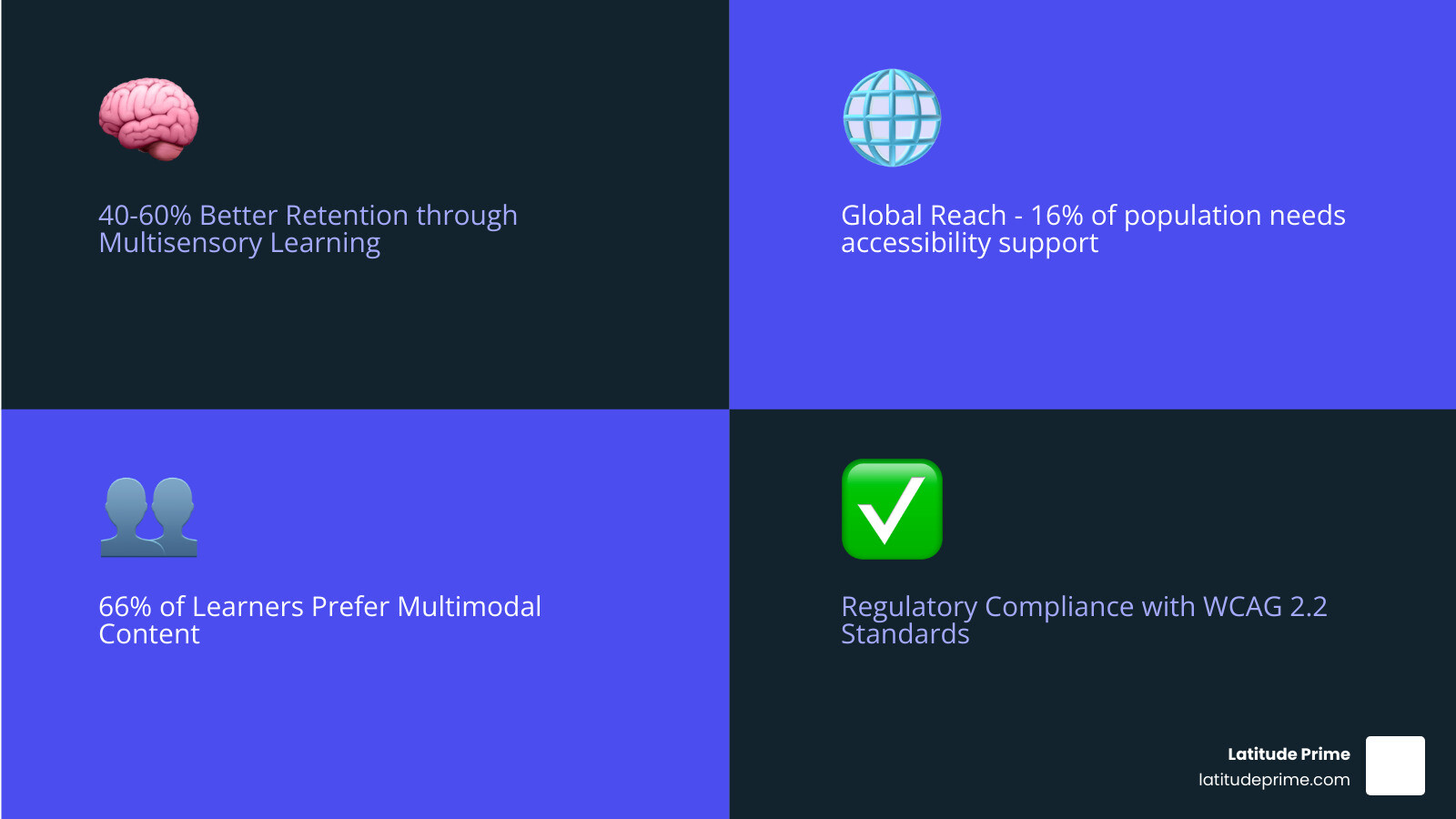
- Why it matters: Improves knowledge retention by 40-60% through multisensory learning
- How it helps: Makes content accessible to learners with disabilities, bridges language barriers, and keeps audiences engaged
- Your options: DIY recording, professional voice actors, or AI-powered voice solutions
The science is clear: learners remember more when they hear and see information together. Studies using fMRI technology show that test subjects recalled significantly more content when it included both audio and visuals compared to images alone. This isn’t new—educator Maria Montessori advocated for multisensory learning as far back as 1912—but modern neuroscience proves why it works.
Yet many organizations still underinvest in quality narration for their training materials. They treat internal eLearning content as less critical than customer-facing videos, missing a crucial opportunity to improve employee performance and retention.
Around 66% of learners prefer multimodal content—they want to hear and see information, not just read it on screen. For global organizations, professional voice over also addresses a critical accessibility need: more than a quarter of U.S. adults have a disability, and the global disability rate sits around 16%. Quality narration isn’t just nice to have—it’s essential for inclusive, effective training.
I’m William Kennedy, and I’ve managed over 8,500 multilingual projects in the past four years, including extensive voice over e-learning productions for technical training, compliance courses, and global employee development programs. This experience has shown me how the right voice—whether human or technology-improved—can transform dry content into engaging learning experiences that stick.
The Power of Voice: Why Narration is Crucial for Effective eLearning
The human voice holds incredible power, especially in learning. It can convey emotion, emphasize key points, and guide attention in ways that text alone cannot. When it comes to voice over e-learning, this power is harnessed to create a more dynamic and effective educational experience. Our brains are wired for multisensory input, and ignoring the auditory channel in e-learning is like learning with one hand tied behind your back.

Researchers have consistently found that pairing visual and auditory content allows learners to grasp material more quickly and fully. This dual-channel processing significantly impacts knowledge retention and learner engagement. An engaging voice can make even complex topics more digestible, reducing cognitive load by providing context and pacing. This is particularly important for the around 66% of learners who prefer multimodal content, as it caters to diverse learning styles and keeps them invested in the material.
Furthermore, professional narration supports the principles of Universal Design for Learning (UDL), ensuring content is accessible to the widest possible audience.
Enhancing Comprehension and Retention
At the heart of effective e-learning is the ability to help learners truly understand and remember information. This is where multisensory learning theory shines. When we engage multiple senses, particularly sight and sound, we create stronger neural pathways for memory. As far back as 1912, Maria Montessori proclaimed the value of this approach, and modern neuroscience, with tools like fMRI, now visually confirms how neurons light up with exposure to audio-visual stimuli. Scientific studies show test subjects remembered more content when it included both sounds and images. They remembered less with images alone.
Voice over in e-learning doesn’t just read the text on screen; it gives meaning and context to visual content. Think of it like a documentary narrator guiding you through a complex topic. This contextualization helps clarify on-screen visuals, explains charts or graphs, and provides real-world examples, all of which reduce cognitive load and improve comprehension. When a voice over is well-paced and articulate, learners can focus on integrating new information rather than struggling to decode written words while simultaneously processing visuals.
Improving Accessibility and Global Reach
Beyond engagement and retention, voice over e-learning is a powerful tool for accessibility and expanding your reach globally. We know that more than a quarter of adults in the U.S. have a disability, and the global disability rate is around 16%. Voice overs can be the key to opening your e-learning courses to this vast population, particularly assisting learners with visual impairments who rely on auditory information.
Digital accessibility isn’t just good practice; it’s often a regulatory requirement. Depending on where your audience lives, your content may need to comply with standards like the WCAG 2.2 guidelines, which require audio narration in some contexts. (See Success Criterion 1.2.3: Audio Description or Media Alternative.)
For organizations operating across borders, localization is paramount. Our expertise in Elearning Localization ensures that your training content is not just translated but culturally adapted, including voice overs that resonate with local audiences. This broadens your audience significantly, making your content truly global.
Creating Your eLearning Narration: A Comparison of Methods
When it comes to adding voice to your e-learning content, you have several paths to choose from. Each method has its own set of considerations regarding cost, quality, scalability, and turnaround time. Let’s explore the three main approaches.
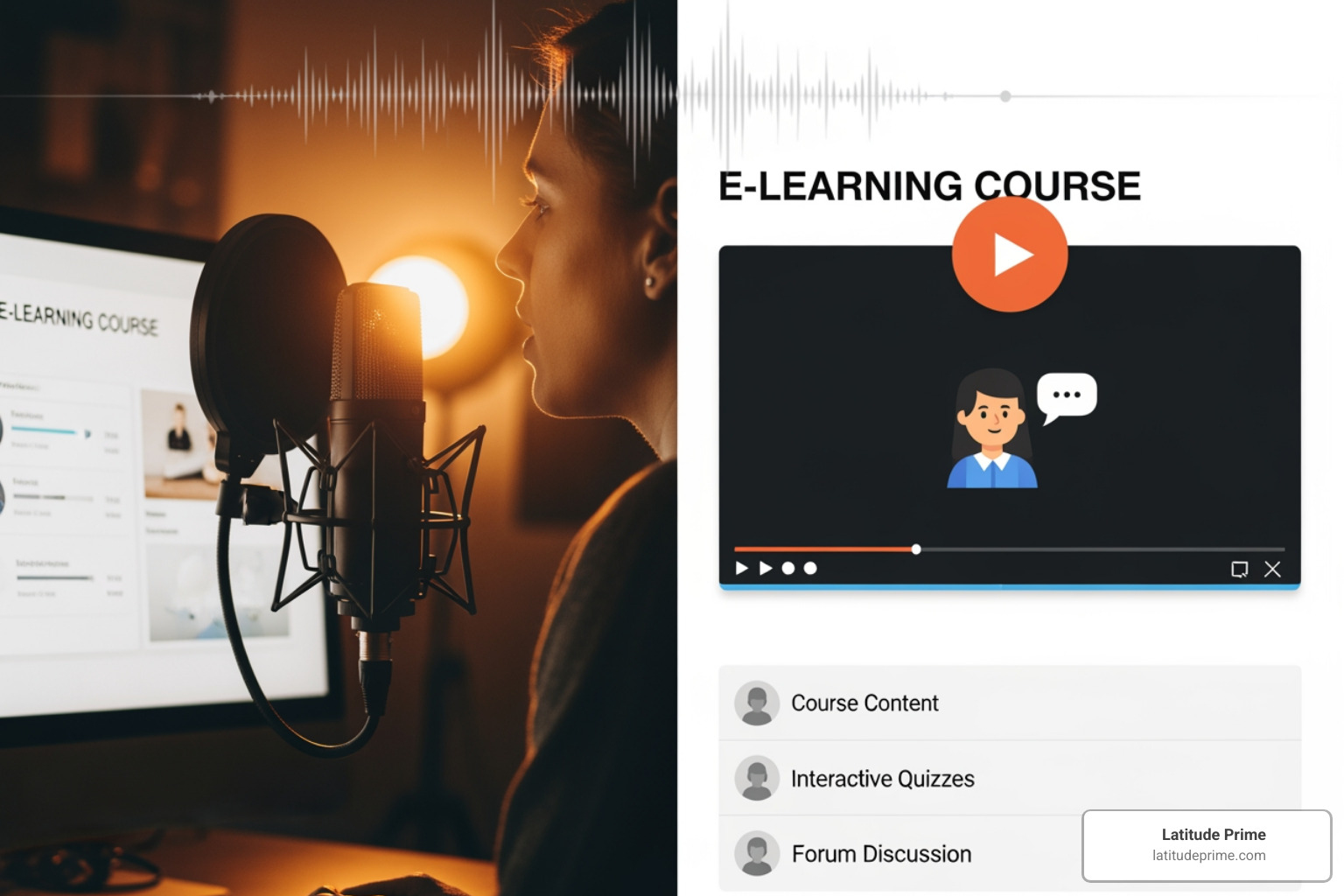
Method 1: Do-It-Yourself (DIY)
This method involves recording the narration yourself or using in-house talent.
- Pros:
- Low initial cost: You might already have some basic equipment.
- Full control: You manage every aspect of the recording and editing process.
- Flexibility: Easy to make quick updates or changes to the script.
- Cons:
- Time-consuming: Recording, editing, and mastering audio takes significant time and effort.
- Requires technical skill: Achieving professional sound quality isn’t as easy as it looks. You need knowledge of microphones, acoustics, and audio editing software.
- Variable quality: Without proper equipment and expertise, the sound quality can suffer, leading to distracting background noise or inconsistent audio levels.
- Equipment costs: A decent setup (microphone, pop filter, headphones, soundproofing, software like Audacity) can cost anywhere from $200 to $500, not including the learning curve.
Method 2: Partnering with Professional Voice Over Services
Hiring professional voice actors is often considered the gold standard for quality voice over e-learning.
- Pros:
- Highest quality: Professionals deliver clear, consistent, and broadcast-ready audio.
- Emotional nuance: Voice actors can inject the right tone, pacing, and emotion to keep learners engaged and convey complex information effectively.
- Professional delivery: They understand how to interpret scripts, enunciate clearly, and maintain a suitable pace (around 100 words per minute is a good general guideline).
- Access to experienced talent: Professional talent marketplaces offer a wide selection of voice actors with e-learning experience.
- Cons:
- Higher investment: This is typically the most expensive option. The Global Voice Acting Academy (GVAA) publishes informal price guides. For non-broadcast narration (which includes most e-learning), rates can range from $350-$450 for 1-2 minutes of finished audio, up to $1,750-$2,350 for 40-60 minutes. These rates are current as of February 2024.
- Less flexible for rapid updates: Re-recording sections can be costly and may require scheduling with the voice actor.
When looking for a professional voice over provider, consider:
- Demo reels: Do they showcase experience in e-learning or similar corporate narration?
- Industry experience: Have they worked on projects relevant to your field?
- Language capabilities: Can they provide narration in multiple languages if needed?
- Turnaround time: Can they meet your project deadlines?
Method 3: Leveraging Technology-Improved Voice Solutions
This method uses Text-to-Speech (TTS) technology, often powered by Artificial Intelligence (AI), to generate narration from written scripts.
- Pros:
- Cost-effective: Often significantly cheaper than hiring professional voice actors, especially for large volumes of content.
- Fast turnaround: Narration can be generated in minutes, making it ideal for urgent projects or frequent updates.
- Highly scalable: Easily produce narration for extensive course libraries in numerous languages.
- Easy updates: Simply edit the text script, and the AI voice generates the new audio.
- Multilingual options: Leading TTS solutions offer hundreds of lifelike voices in dozens of languages.
- Cons:
- Can lack human emotion: While AI voices have improved dramatically, they may still struggle with subtle emotional nuances or complex inflections that a human actor provides.
- Potential pronunciation errors: AI may mispronounce jargon, acronyms, or proper names, though many platforms offer pronunciation dictionaries to mitigate this.
- Requires buy-in: Some learners may prefer a human voice, and a shift to AI narration might require communication and acceptance from your audience.
The evolution of AI and TTS technology has significantly advanced the quality of synthetic voices, making them a viable and increasingly popular option for voice over e-learning. We can help integrate these solutions, alongside professional voice actors, through our Voice Over and Subtitles services.
Comparing DIY vs. Professional Services vs. Technology-Improved Voice Solutions
| Feature | Do-It-Yourself (DIY) | Professional Voice Over Services | Technology-Improved Voice Solutions (AI/TTS) |
|---|---|---|---|
| Cost | Low initial setup ($200-$500 equipment) | High (e.g., $350-$450 per finished minute) | Low to Moderate (subscription-based, per-word) |
| Quality | Variable (depends on skill/equipment) | Highest (professional, consistent) | High (increasingly natural, but can lack nuance) |
| Speed | Slow (manual recording/editing) | Moderate (scheduling, recording, editing) | Fastest (instant generation) |
| Scalability | Low (limited by time/resources) | Moderate (depends on talent availability) | Highest (can generate vast amounts of audio) |
| Flexibility | High (easy to re-record) | Low (re-records can be costly/time-consuming) | Highest (edit text, regenerate audio) |
| Emotional Connection | Moderate (if talented in-house) | Highest (human nuance, empathy) | Moderate (improving, but still developing) |
Best Practices for Professional Voice Over E-learning
Regardless of the method you choose, adhering to best practices ensures your voice over e-learning content is effective and engaging. It’s not just about getting words recorded; it’s about optimizing the auditory experience for learning.
Scriptwriting and Delivery
The foundation of any good voice over is a well-crafted script.
- Conversational tone: Learners should feel they are listening to someone personable, friendly, and compassionate, not a robot or a stiff lecturer. Avoid overly formal or academic language.
- Clear and concise language: Keep sentences short and to the point. Eliminate jargon where possible or explain it clearly.
- Pacing: Aim for a natural speaking rate. A good guideline for e-learning is around 100 words per minute. This allows learners adequate time to process information and synchronize with visuals.
- Strategic use of silence: Silence isn’t empty space; it’s a powerful tool. Use pauses to allow learners to absorb information, emphasize key points, or signal transitions between topics.
- Audience analysis: Tailor your script and delivery to your target demographic. A younger audience might prefer a more energetic voice, while corporate training might require an authoritative yet approachable tone. Understanding your audience is key to effective cross-cultural communication.
Selecting the Right Voice
Choosing the right voice is critical for brand consistency and learner connection.
- Voice characteristics: Consider tone (warm, confident, authoritative, friendly), pitch (higher, lower), and accent. For global audiences, a neutral accent might be preferred, or specific regional accents if localizing.
- Matching voice to brand and audience: The voice should align with your organization’s brand identity and resonate with your learners. Students often learn best from voices that sound relatable, whether through similar age range, gender, or accent.
- Authoritative vs. friendly style: For technical or compliance training, an authoritative voice might be suitable, while soft skills or onboarding content might benefit from a friendlier, more conversational tone.
- Auditioning talent: If hiring professionals, listen to multiple samples and conduct auditions with sections of your script to ensure a perfect fit.
- Considering technology-improved voice options: For consistency across many modules or for branding, a custom AI voice can create a unique sonic identity for your e-learning content.
Integrating Voice Overs into Your E-learning Modules
Once you have your high-quality audio files, the next step is seamlessly integrating them into your e-learning modules.
- File formats: Standard formats like MP3 and WAV are widely supported. MP3 offers smaller file sizes suitable for web delivery, while WAV provides uncompressed quality for archiving or further editing.
- Syncing audio with visuals: This is paramount. The narration must align perfectly with on-screen text, images, animations, and video. Most e-learning authoring tools allow for precise synchronization.
- E-learning authoring tools: Platforms like Articulate Storyline 360, Adobe Captivate, and TechSmith Camtasia are designed to make this process straightforward. They allow you to import audio files and synchronize them with specific slides, elements, or timelines.
- For Adobe Captivate, you typically go to Audio > Import Audio.
- For Articulate Storyline 360, in Slide View, click the Insert tab > Audio > Audio from File.
- For TechSmith Camtasia, use the Media tab > Import Media.
- Testing on a Learning Management System (LMS): Always test your modules on your target LMS to ensure audio plays correctly, syncs properly, and doesn’t encounter any technical glitches for learners.
The Future of eLearning Narration: Technology, Trends, and Global Markets
The landscape of voice over e-learning is constantly evolving, driven by technological advancements and the increasing demand for globalized, personalized learning experiences.
The Evolution of Technology in Voice Over E-learning
AI and text-to-speech technology have already revolutionized how we approach e-learning narration.
- Improved natural language processing (NLP): AI voices are becoming incredibly lifelike, with better intonation, rhythm, and emotional range, making them almost indistinguishable from human voices in some contexts.
- Custom branded voices: Organizations can now create unique AI voices that embody their brand, ensuring a consistent sonic profile across all their digital content, from e-learning to marketing. This is a “branding superpower” for sonic consistency.
- Real-time generation: The ability to generate narration instantly from text means quicker content updates and rapid deployment of new modules.
- Cost-effectiveness for large projects: For extensive training libraries or frequent updates, AI voices offer unparalleled scalability and cost efficiency, dramatically impacting the overall budget for voice over e-learning.
- Impact on the voice over industry: While AI provides new tools, it also pushes human voice actors to focus on their unique strengths—nuance, emotion, and complex character work—and opens new opportunities for services like AI voice direction and refinement.
Leveraging Voice Overs for Global E-learning Success
For organizations with a global workforce or diverse learner base, voice over e-learning is a cornerstone of effective localization.
- Importance of localization vs. translation: Simply translating a script isn’t enough. Localization involves adapting content culturally, linguistically, and contextually to resonate with a specific audience. This includes ensuring that the tone, pacing, and choice of voice actor (or AI voice) are appropriate for the target culture.
- Cultural nuances in tone and delivery: What sounds authoritative in one culture might sound aggressive in another. What’s humorous in English might be lost in translation or even offensive elsewhere. Our expert linguists understand these subtleties.
- Using native-speaking voice talent: For the most authentic and effective global e-learning, utilizing native-speaking voice talent is crucial. This ensures correct pronunciation, natural flow, and cultural appropriateness, making learners feel understood and respected.
- Managing multilingual course versions: We specialize in helping businesses and educators manage complex multilingual e-learning projects, ensuring consistency and quality across all language versions. Our ISO-certified quality management system means you can trust the accuracy and cultural fluency of our services. To learn more about how we make content accessible for diverse markets, explore Localization for global markets.
Frequently Asked Questions about eLearning Voice Overs
What factors should I consider when choosing a voice for my e-learning course?
When selecting a voice for your voice over e-learning course, several factors come into play:
- Audience demographics: Who are your learners? Their age, background, and cultural context will influence what voice resonates most effectively. A youthful, energetic voice might appeal to younger students, while a calm, experienced voice might be better for senior professionals.
- Subject matter complexity: Is the content technical and detailed, or more conceptual and motivational? Technical topics often benefit from a clear, precise, and authoritative voice, while soft skills training might require a warmer, more empathetic tone.
- Brand personality: Does your brand lean towards being innovative, traditional, friendly, or serious? The voice should reflect this.
- Required tone: Do you need an authoritative, friendly, empathetic, or neutral tone? The voice actor’s ability to modulate their voice effectively is key.
- Language and accent requirements: For global audiences, consider native speakers with appropriate accents to ensure authenticity and comprehension.
What are the typical costs for e-learning voice overs?
Costs for voice over e-learning vary significantly based on the chosen method:
- DIY: Primarily involves an upfront investment in equipment, ranging from $200 for a basic setup to $500 or more for higher quality. This doesn’t account for your time.
- Technology-Improved Voice Solutions (AI/TTS): These are typically subscription-based services, often charging per word or per minute of generated audio. They are generally more cost-effective than human voice actors for large volumes and frequent updates.
- Professional Services: This is the highest investment. As mentioned, GVAA rates for non-broadcast narration (e-learning) can range from $350-$450 for a 1-2 minute project up to $1,750-$2,350 for 40-60 minutes of finished audio. These rates are for the voice actor’s performance, with additional costs for editing, mixing, and project management.
How does voice over impact learner engagement?
Voice over e-learning significantly impacts learner engagement in several ways:
- Builds trust and credibility: A professional, clear voice instills confidence in the learner, making the content feel more authoritative and reliable.
- Prevents monotony: Even the most visually appealing e-learning can become tedious if it lacks an auditory component. A dynamic and engaging voice keeps learners’ attention from wandering.
- Helps clarify complex visuals: The voice can direct attention, explain intricate diagrams, or walk learners through processes step-by-step, making visual information easier to understand.
- Catters to auditory learners: Many individuals learn best by hearing information. Voice overs provide this crucial input, ensuring that a significant portion of your audience is effectively reached.
- Improves the overall user experience: A high-quality voice over creates a polished, professional feel that improves the learner’s perception of the course, making the learning journey more enjoyable and effective.
Conclusion: Transform Your eLearning Content
In today’s dynamic learning environment, voice over e-learning is no longer a luxury—it’s a strategic imperative. From enhancing knowledge retention and boosting learner engagement to ensuring critical accessibility and enabling global reach, professional narration lifts your e-learning content from merely informative to truly transformative.
Investing in quality voice over, whether through skilled human talent or advanced AI solutions, ensures your training sticks, resonates, and empowers learners worldwide. Our team at Latitude Prime, with our ISO-certified quality management system and extensive network of expert linguists, understands the nuances of delivering impactful voice over solutions. We’re equipped to handle your most complex projects, from technical training to compliance courses, ensuring cultural relevance and linguistic precision in over 300 languages.
Are you ready to open up the full potential of your training? Take your training content worldwide with expert eLearning Localization services. Let us help you communicate with confidence across cultures and empower your learners, wherever they are.
